TradingView Ideas vs the Trade Desk: free ideas, or a graded plan
TradingView Ideas are free trade ideas published by individual users, with house rules that require reasoning and stop authors editing an idea after 15 minutes. They are a good place to learn how others read a chart. What they do not give you is one author’s full record graded against a stop, or alerts on a plan. The Trade Desk is the paid version of that: weekly setups with entry, stop and target, and every closed trade on a public record in R.
What TradingView Ideas are, by TradingView’s own rules
The Ideas section lists charts and write-ups from individual users, tagged long or short, with an editors' picks feed. The house rules say an idea without reasoning probably should not be posted, that content must be free from promotion, and that authors confirm their content is not investment advice. TradingView’s publishing rules let authors edit or remove an idea only within 15 minutes of publishing, and prohibit ideas posted after the fact to boast about gains. All checked 8 Oct 2026.
That last rule is a real strength: an idea's timestamp means something. The limit is that ideas come from thousands of authors with different methods, and an idea is not always a plan with an entry, a stop and a target.
What a graded plan adds
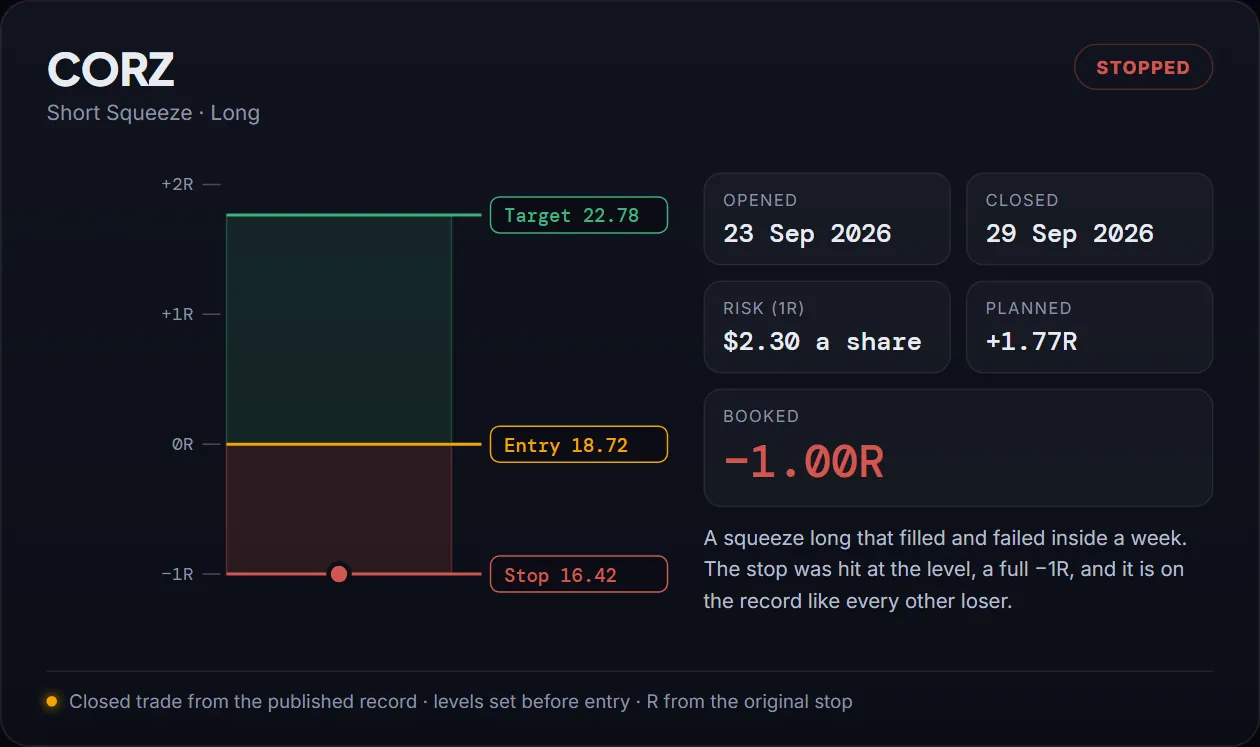
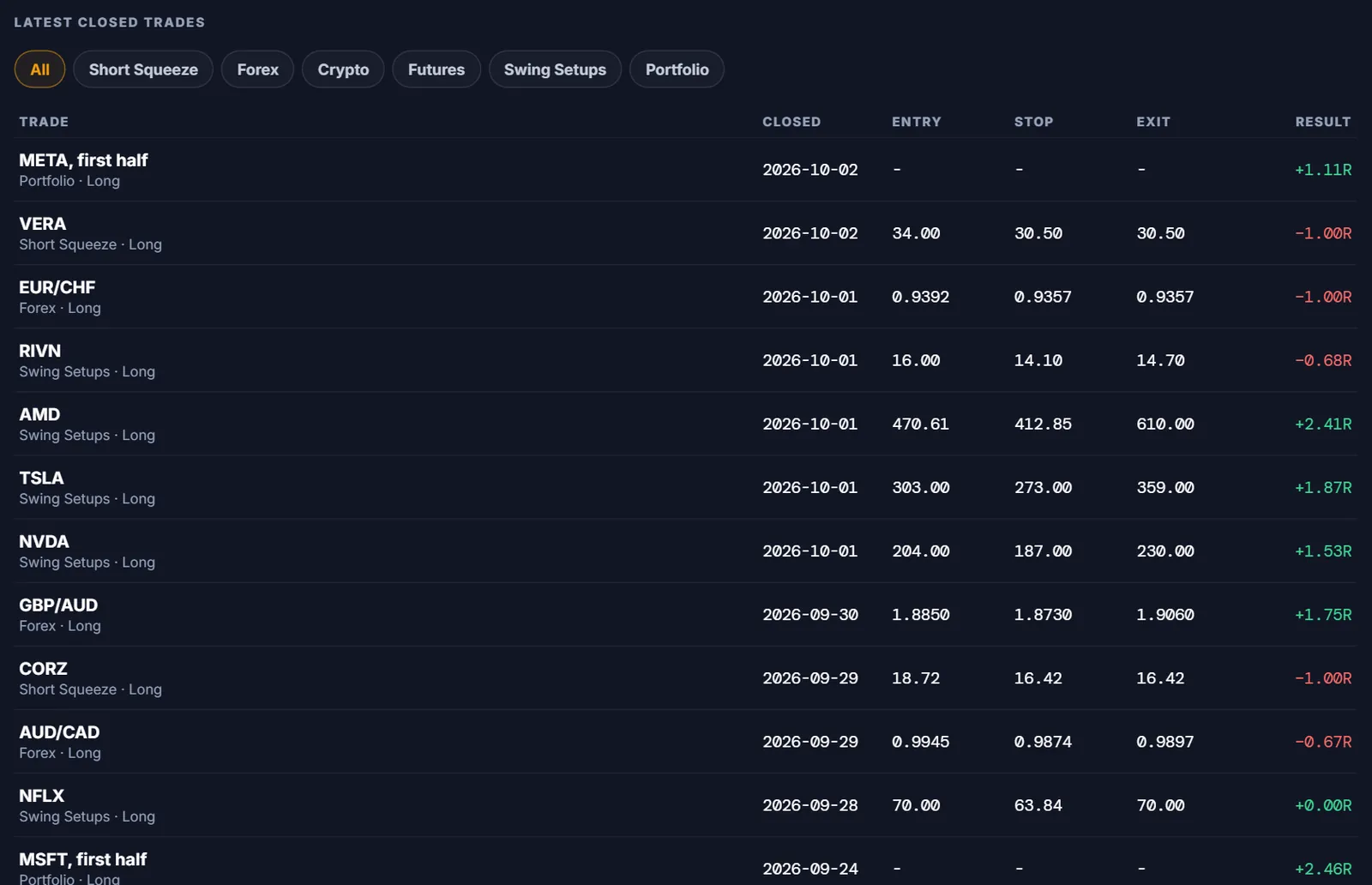
A plan is only useful if it is judged against what it said in advance. The Desk publishes the three prices on Sunday, alerts on them, and grades every close against the original stop. The losers are part of that, like CORZ, which filled on 23 September 2026 and stopped out six days later at exactly −1R.
How to use TradingView Ideas well
Treat an idea as a chart to study, not an order. Before acting on one, write down where the author's idea would be wrong; if you cannot, the idea has no stop and you would be making it up. Open the author's profile and look at their older ideas, especially the ones that did not work, and see whether they followed up. If the levels are clear, put them through the ATR stop check and size from the stop.
If you would rather have one method's levels written down every Sunday with alerts on them, that is the Desk. The two sit together fine: TradingView for the charts and the community, the Desk for the plan and the record.
This week’s setups are already mapped
Every Sunday before the open: analysed swing setups across stocks, forex, gold and crypto with the exact entry, stop and target, an alert when one triggers, the live dashboard and the paid Substack letters.
Get this week’s setups →111 trades · 54 losers shown · +54.5R see the full record →
FAQ
Are TradingView Ideas free?
Yes, ideas are free to read on tradingview.com. They are published by individual users, not by TradingView.
Can TradingView ideas be edited after the fact?
TradingView says an idea can only be edited or removed within 15 minutes of publishing, and ideas posted after the fact to boast about gains are prohibited. Updates are added with the Update Idea feature.
Are TradingView Ideas financial advice?
No. TradingView’s house rules have authors confirm their content does not constitute investment advice.
How is the Trade Desk different from TradingView Ideas?
One author, one method, weekly setups with entry, stop and target, alerts on the levels, and every closed trade graded in R on a public record, for a monthly or annual fee.